
Reports under your company name, ready to send
Every number leaves Qidda as a clean PDF with your logo: project statement, receipts, party statements, petty cash statements and a client report.
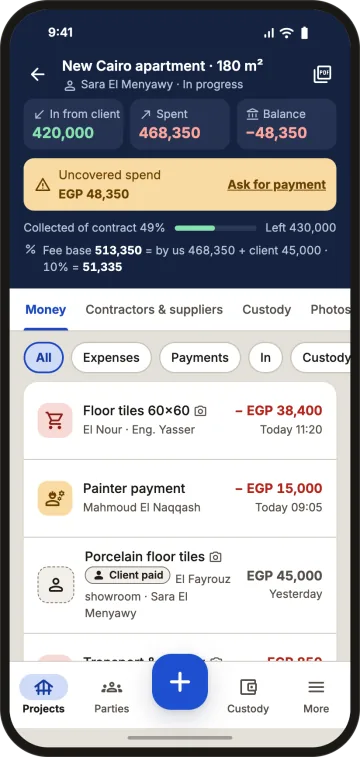
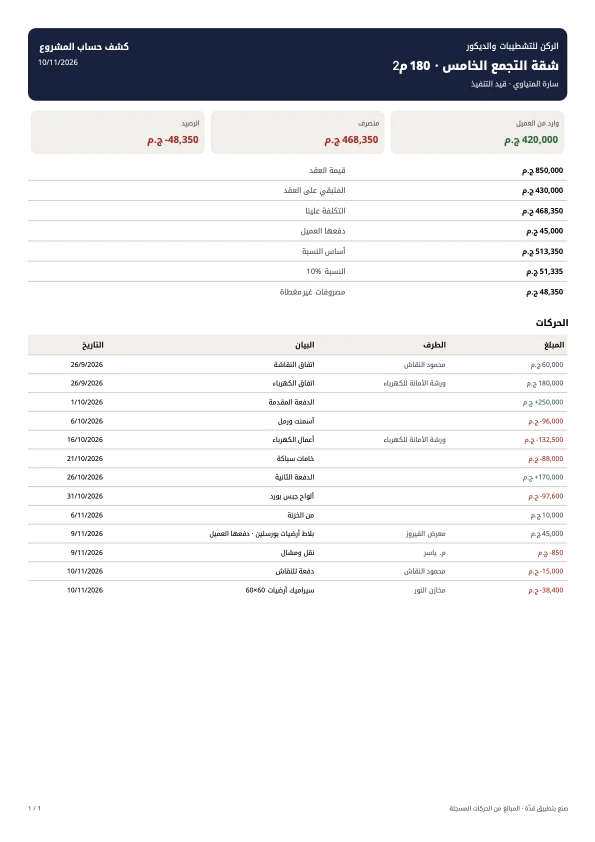
Project statement
Contract, received, left on contract, our cost, fee base and fee, uncovered spend, then every entry with date, description and party.
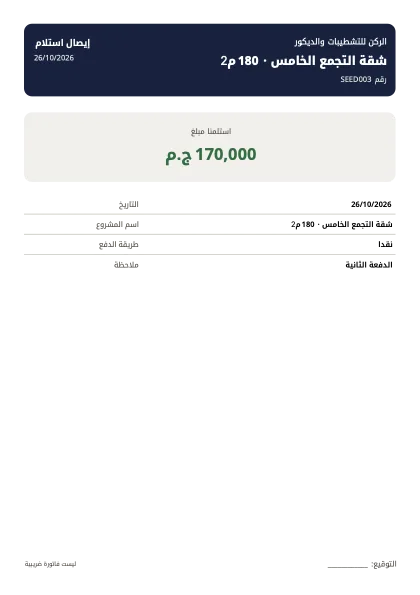
Receipts in and out
A numbered A5 receipt after each client payment and a payment voucher after each subcontractor or supplier payment, marked "not a tax invoice".
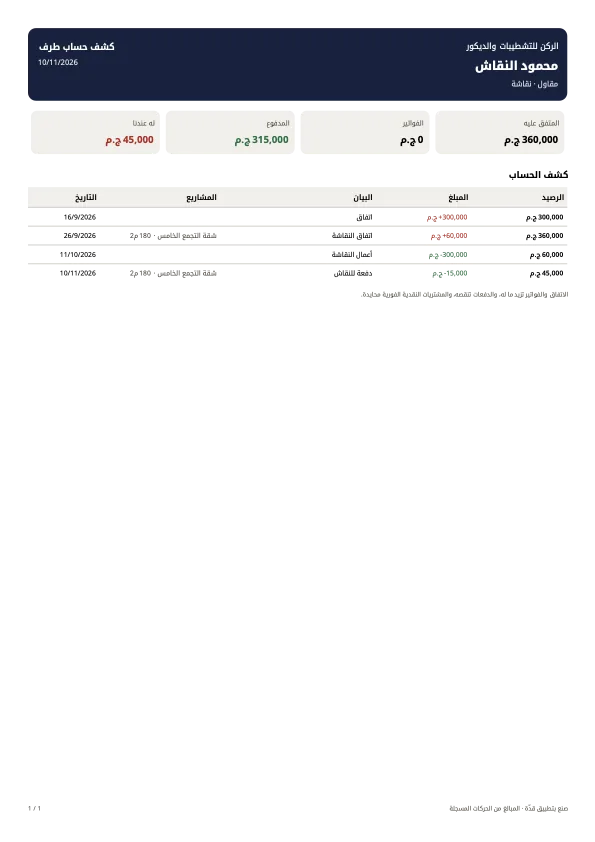
Subcontractor and supplier statements
Invoices on credit and payments with a running balance.
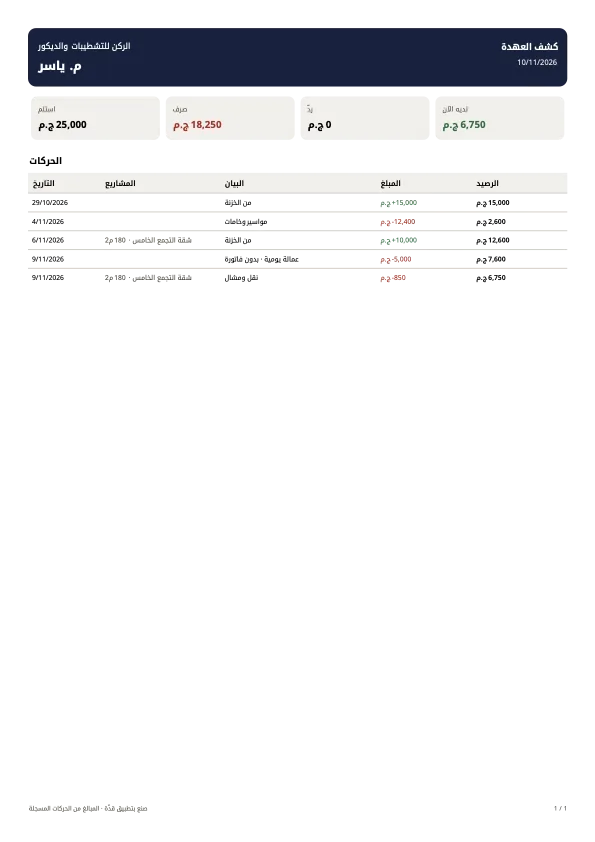
Petty cash statement
Received, spent and returned per engineer, with a running balance.
Client report
The client downloads a project report with only the sections you allow.
Your logo on every page
PNG, JPG or WebP up to 2 MB, on all reports and the client page.
Export your data anytime, free
CSV files of all projects, entries and parties, even for archived projects.
Example
Month end: the client gets the project statement, the subcontractor gets their statement, the accountant gets each engineer's petty cash statement. Three documents in two minutes.
What Qidda doesn't do
No tax invoices or e-invoicing.
FAQ
Can I put my company logo on reports?
Yes. Add it under More › Company logo and it appears on every report and the client page.
Can I export my data to Excel?
Yes. Export all data gives you CSV files that open in Excel, free and at any time.
Are reports in Arabic and English?
Reports follow the language you use in the app, Arabic or English.
Is the receipt a tax invoice?
No. Receipts prove payment and are marked as not a tax invoice.
One page that ends the argument.
1 project free · No password · No waiting for activation