
Free
Your first project
0
No time limit, no card
- 3 users
- Every feature
- Free export, always
For fit-out and finishing contractors
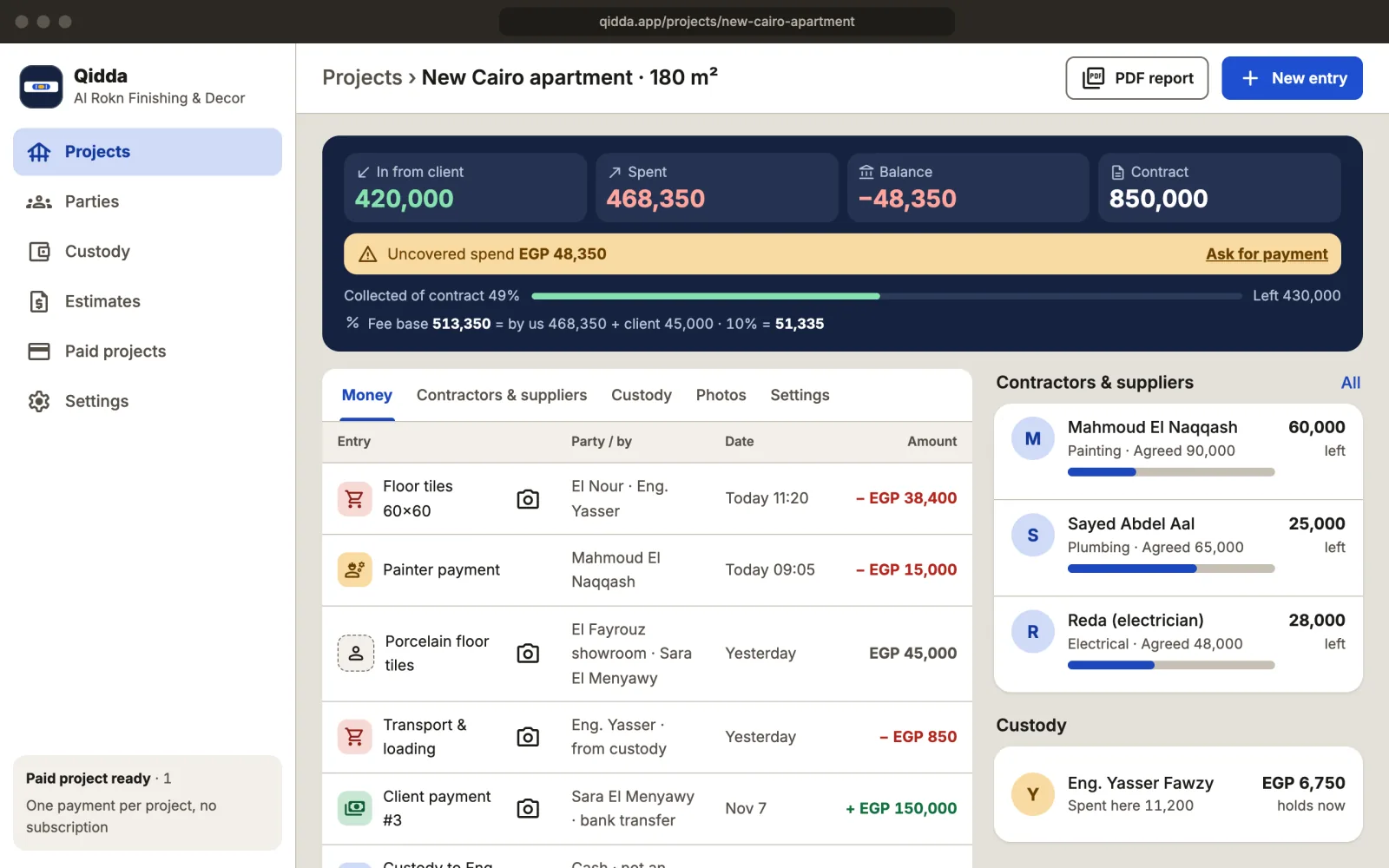
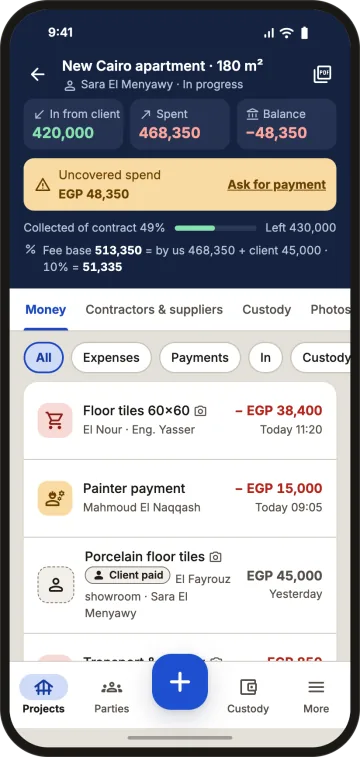
Client payments, site expenses with invoice photos, each engineer's petty cash and what you owe subcontractors and suppliers, all in one place. See what every project earned. On Android or in your computer's browser with the same account; iPhone app coming soon.
Public price per project
Full Arabic and English
Android and web
Your data is never deleted
Receipts in the engineer's pocket, subcontractor payments in a notebook, three copies of the same spreadsheet in a chat, and a client asking "how much have I paid?". Then the project ends and the profit is smaller than you thought. Cards: A lost receipt · Unclear petty cash · Subcontractors asking what's left · Profit you only see at handover.
Most construction software is built for large general contractors: charts of accounts, cost centres, inventory, onboarding teams and a "request a quote" form. Qidda is deliberately simpler, for the fit-out contractor who wants today's project numbers. Sign in with Google or an email link, add a project in a minute, and see the price before you start. If you need full company accounting, Qidda doesn't replace it: it handles the projects' money.
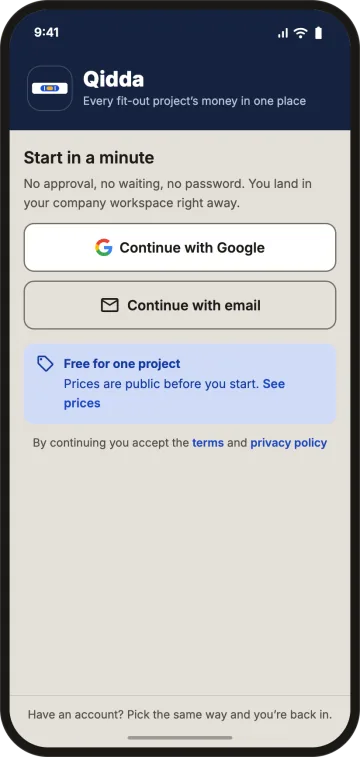
with Google or a sign-in link sent to your email. No password.
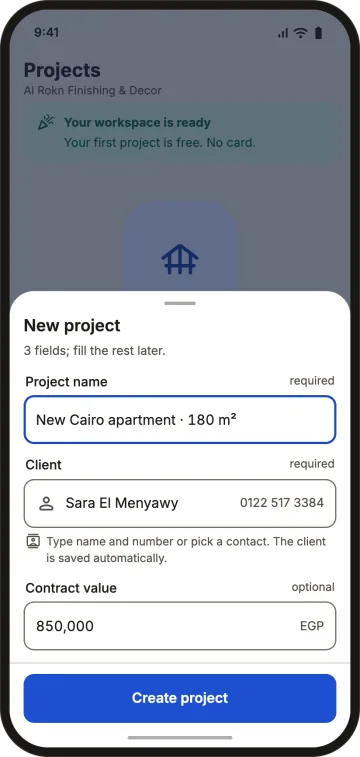
the project name, the client and the contract value.
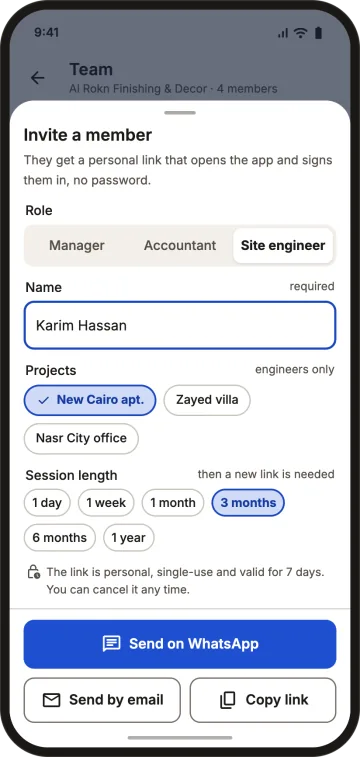
send each engineer a personal link by WhatsApp or email; they see only their own projects.
Tap +, pick "Expense / purchase", snap the receipt and type the amount. Subcontractor payments, unpaid supplier invoices and client payments live in the same project. Choose who paid: the cash box, an engineer's petty cash or the client directly.
Top up from the cash box; engineers log spending from site with photos. See received, spent and on hand, then settle: get the rest back, carry it over, or reimburse the difference.
Link each party to the project with the agreed amount, record payments and credit invoices, and share a PDF statement.
No account, no password. You choose what they see (payments, expenses without supplier names, selected photos) and can revoke the link anytime.
Mark it "paid by the client": it counts in the project cost and your fee base, without touching your cash or the client's payments. Example: 800,000 EGP our cost + 200,000 EGP client-paid tiles = 1,000,000 EGP fee base; at 10% your fee is 100,000 EGP.
Quantity × unit price gives each line's budget; see spent, left and progress, with a warning when a line goes over.
Project statement, client receipt, payment voucher, party statement, petty cash statement and client report. Receipts are not tax invoices.
Owner, manager, accountant, site engineer, plus a client link. Engineers see only their projects; simple switches decide who sees profit and who approves expenses. Set each sign-in's length and sign anyone out of every device.
Expenses and payments save on the phone offline and sync when you're back online. Creating a new project needs a connection.
Your first project is free with 3 users, no time limit. After that you buy project credits in packs: EGP 2,000 for 1 project, 8,500 for 5, 15,000 for 10 (save up to 25%). Credits never expire, and with your first paid project users become unlimited. No monthly bill, no renewal, and the price is roughly 0.1% to 1% of a typical fit-out project.
Your first project is free
Optional: to show the price as a share of your project
No monthly bill. Your first paid project makes users unlimited across your company.
A paid project has no time limit until you hand it over or archive it; then it stays read-only and exportable for free.
Outside Egypt: pay through Google Play in the Android app.
Your first project
No time limit, no card
Single price
once, no subscription
Save 15%
EGP 1,700 per project$42.40 per project
Save 25%
EGP 1,500 per project$37.50 per project
Nothing is edited after saving: corrections are new entries. There is no subscription to expire and lock you out: handed-over and archived projects stay read-only, and you can export everything.
The one that fits your size: large firms may need a full ERP, while fit-out contractors usually need project money, petty cash and subcontractors, fast. Qidda is built for exactly that, and you can try it free on one project.
Yes for your first project with 3 users, no time limit. After that you buy project credits in packs: 1 project for EGP 2,000, 5 for EGP 8,500 or 10 for EGP 15,000, paid once, no monthly subscription.
No. Sign in with Google or an email link and you're in your company workspace right away.
Yes for logging expenses, payments and receipt photos; they sync when you're back online. Creating a project needs a connection.
No. They open the project from a link, you choose what they see and can revoke it anytime.
No. Handed-over and archived projects stay read-only, and you can export all your data for free anytime.
Add the project, snap the first receipt, send the link to your engineer. One minute, no card, no password. In your browser at app.qidda.app or in the Android app.